AI Control Centre
Pilot availableControl your AI before it controls you. One place every AI application registers with, takes its brand and security rules from, and reports into. The live dashboard is designed to show what is running, who is using it and what it costs.
How it works
The starting and reporting point for all your AI, whether new, already running or built by someone else.
Register
Every AI application registers first, with an owner and a purpose. Third-party tools that cannot report are registered too, with the monitoring limit shown.
Get guidance
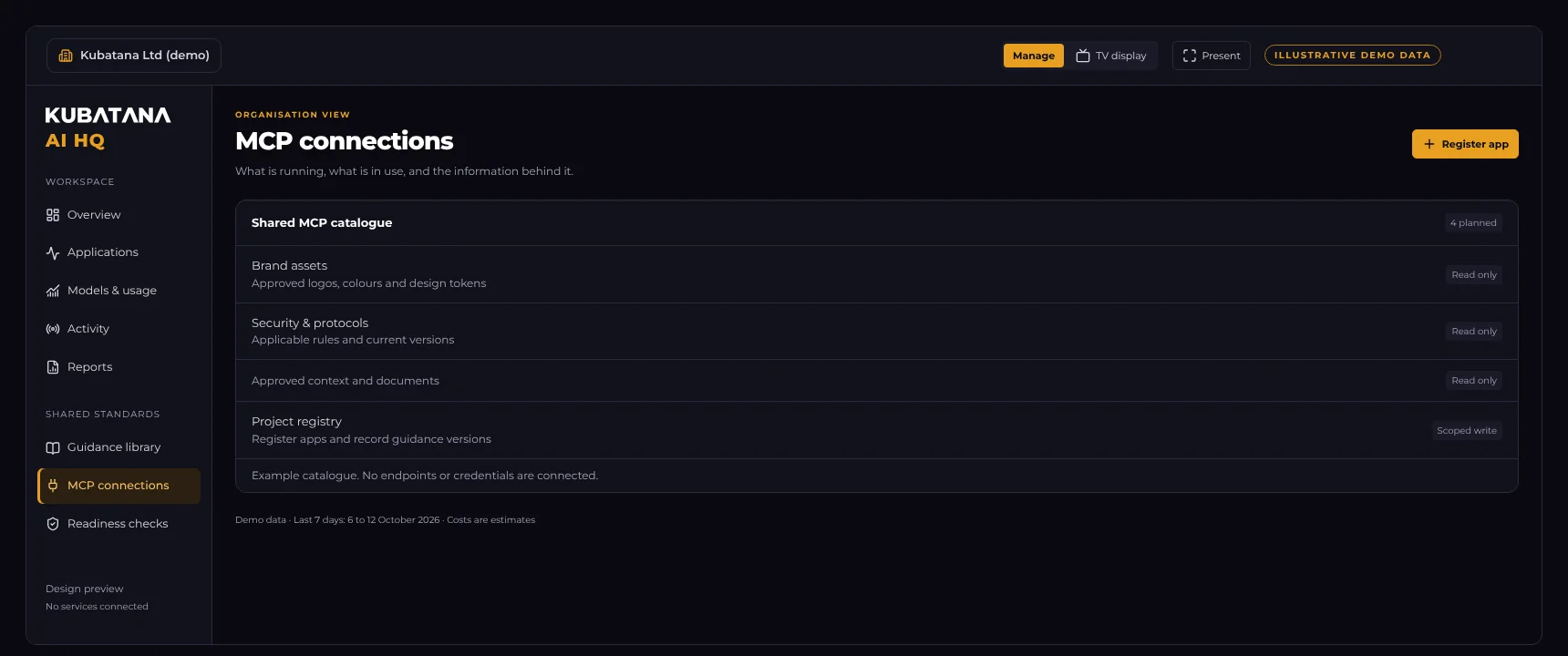
Before any building starts, the application pulls your brand guidelines, security rules and reporting protocol through MCP.
Report in
It reports its health, requests, errors, speed, tokens and estimated cost back to the Control Centre.
Watch live
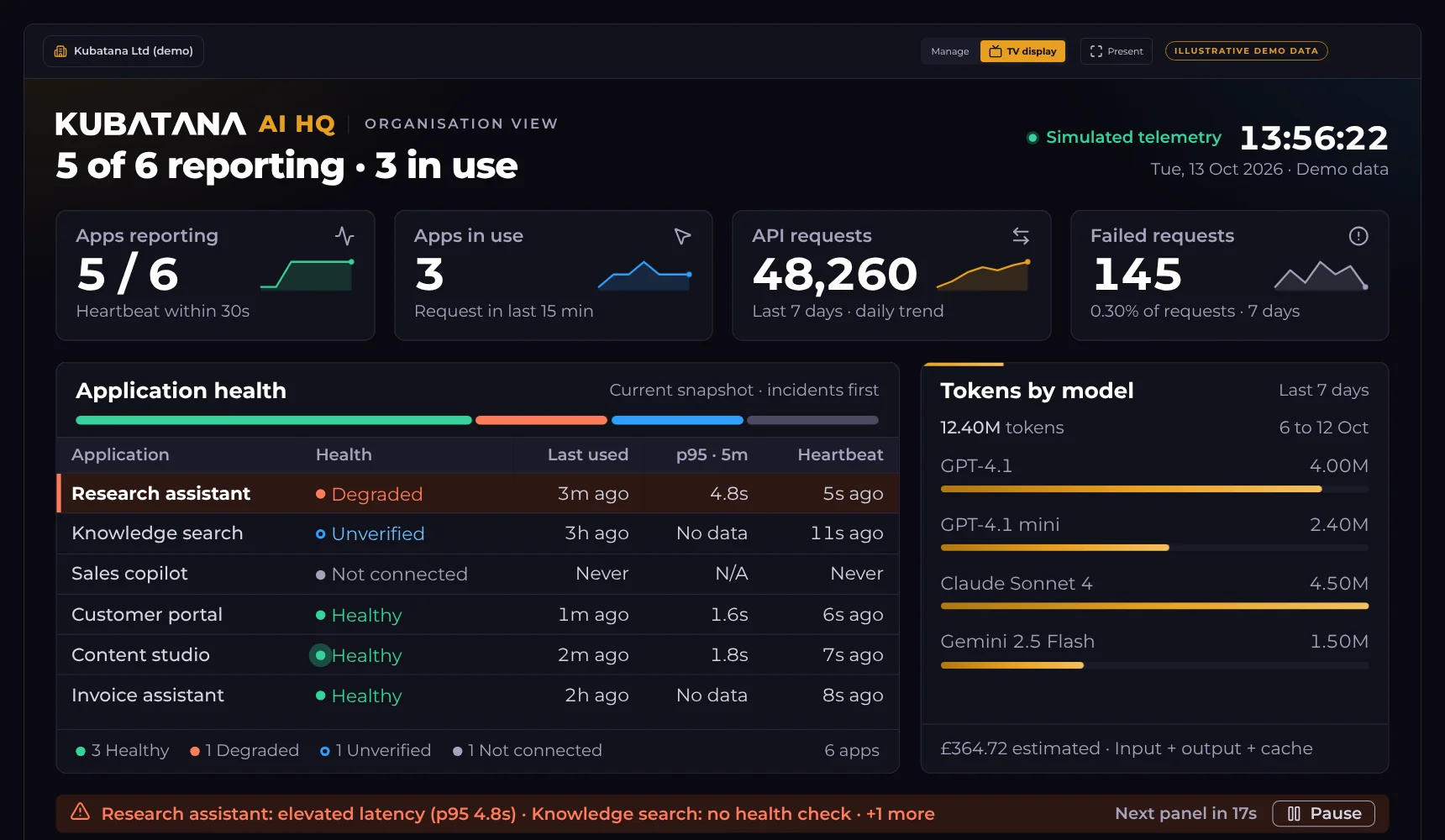
The dashboard shows what is running, what is in use and what it costs, on a service desk screen or in the workspace.
Live AI dashboard
See the whole portfolio at a glance, with the problems at the top.
- Health for every application, with incidents first
- Usage by application and model, with dated weekly figures
- Cost as an estimate, kept apart from what providers bill
- TV display for the service desk, plus a read-only page for your intranet
- Manage workspace for owners, guidance, reports and readiness
One set of rules for every AI
Applications retrieve what applies to them through MCP, so every new build starts from the same standards.
- Brand guidelines and approved assets
- Security rules and current protocols
- Reporting protocol so every app reports the same way
- Approved resources and tools, with versions and owners
Honest by design
We only report what can be shown. The Control Centre keeps three things apart that most reporting blurs together.
Said versus checked
Estimated versus billed
Silent versus healthy
Start with the method, grow into the platform
The framework (a 40-point checklist, maturity scoring and a retrofit method) works without any software, so you can start now.
Framework pack
Checklist, scoring guide, retrofit method and templates.
Guided start
Policy, register and guidance set up with you, plus one pilot application.
Retrofit
Discovery, register, triage and a baseline score for AI already in use.
Control Centre
Regular reviews and reporting, with the live dashboard as it is built.
The dashboard shown is a design preview with illustrative data. The framework supports good practice. It is not legal advice, certification or a compliance guarantee.
How confident would you be?
If someone asked you today what AI is running in your organisation, could you show them? Start with a short scoping conversation.